Migrate without guest agents
Move workloads across supported platforms with controlled cutover and clear transfer progress.
Every feature below is included in both license kinds - Migration and DR only change what you're licensed to run, not which features are turned on. See the exact source/destination pairs below.
Move workloads across supported platforms with controlled cutover and clear transfer progress.
Repeat synchronization and test failover on supported DR paths.
Manage migration, replication and separately licensed encrypted backup workflows in one place.
Not just VMware-to-Proxmox. Here's every source/destination pair Disklift supports today.
| Source | Destination | Migration | Disaster recovery |
|---|---|---|---|
| VMware (vCenter/ESXi) | Proxmox | Yes | Yes - continuous sync, failover, test failover, failback |
| VMware (vCenter/ESXi) | VMware (another ESXi host) | Yes | Not yet - failover/failback aren't available for this pair |
| OpenStack Beta | Proxmox | Yes | Yes - continuous sync, failover, test failover (no failback to OpenStack) |
| OpenStack Beta | OpenStack (another endpoint) | Yes - first copy, continuous sync, cut-over | Not yet - failover and test failover aren't available for this pair |
| Proxmox | Proxmox (another node/cluster) | Yes | — |
| Hyper-V | Proxmox | Yes - first copy, repeat syncs and cut-over (a running VM is copied from a checkpoint); change tracking copies only the blocks that changed | Yes - continuous sync with change tracking, failover, test failover (no failback to Hyper-V) |
| Hyper-V | Hyper-V (another host) | — | Orchestrates Hyper-V's own native Replica: initial sync, test / planned / unplanned failover, reverse, health |
| Nutanix AHV Beta | Proxmox | Yes - first copy, repeat syncs and cut-over (a running VM is copied from a snapshot) | Yes - continuous sync, failover, test failover. With Prism Central, Nutanix's own changed-region tracking means only changed data is written |
| Linux KVM (libvirt) | Proxmox | Yes - first copy, repeat syncs and cut-over (a running VM is copied from a disk-only snapshot) | Yes - continuous sync, failover, test failover |
| Linux KVM (libvirt) | KVM (another host) | Yes - first copy, continuous sync, cut-over | Not yet - failover and test failover aren't available for this pair |
Beta marks paths that are built and covered by automated tests against simulated environments, and are still being proven on live infrastructure. Hyper-V (migration, DR replication and Replica orchestration) has been validated with testing. Nutanix AHV is built from Nutanix's published API documentation and has not yet been run against a live cluster. Linux KVM runs over SSH with no agent; it has been tested with a real shell but not yet against a live libvirt host.
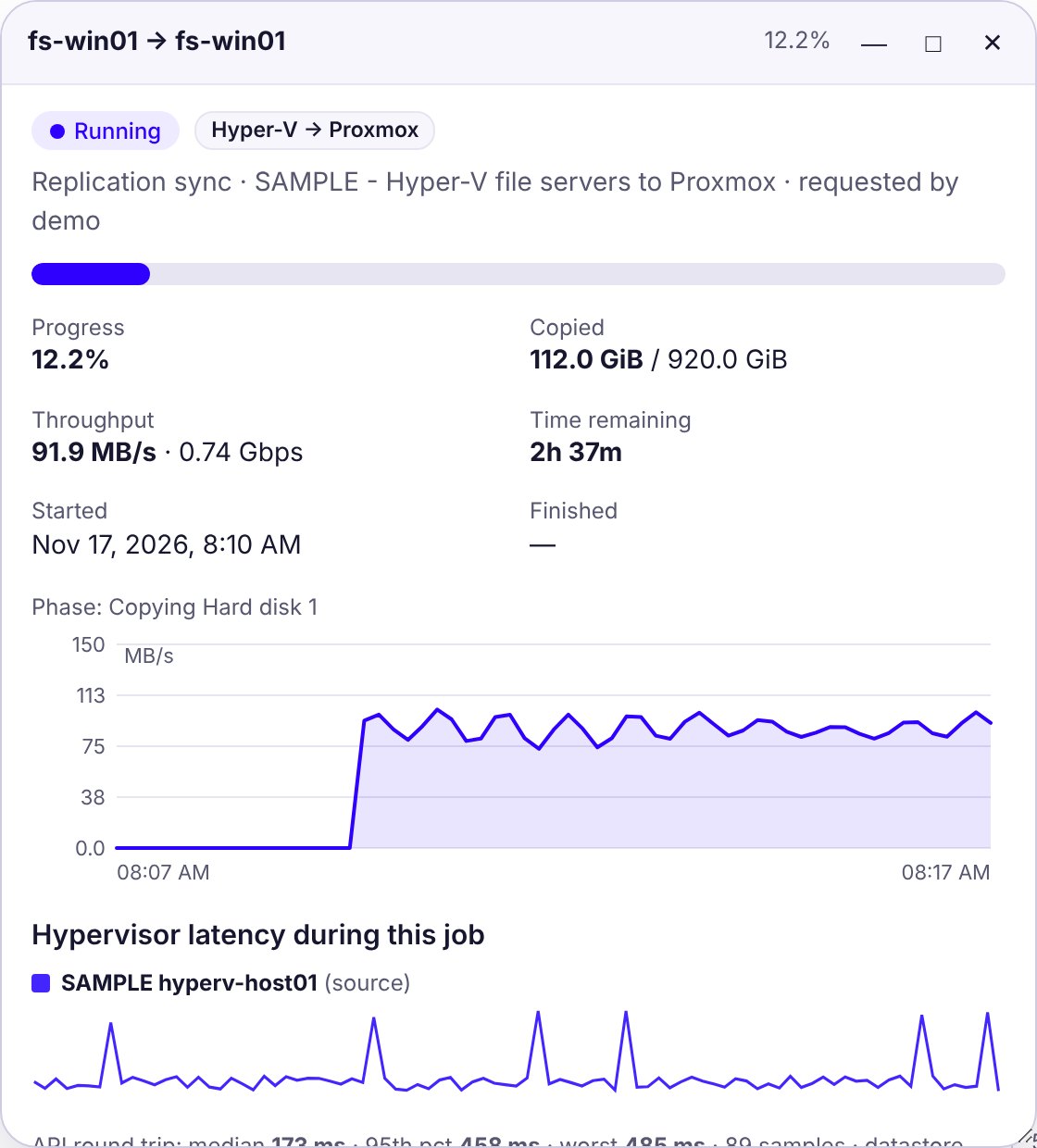
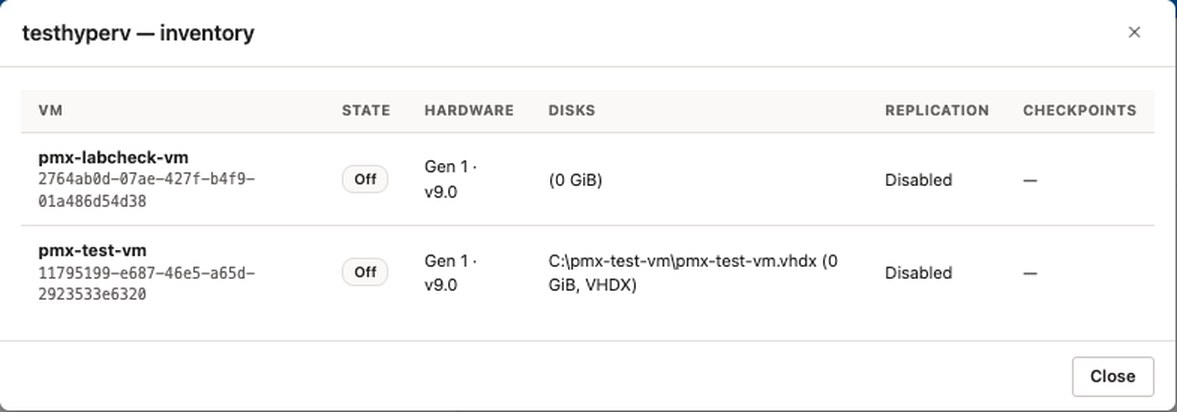
VMware (vCenter or standalone ESXi), OpenStack, Nutanix AHV and Linux KVM sources, moved to Proxmox - or to another VMware, OpenStack or KVM endpoint - without installing anything inside the guest. No agent to deploy, license, or clean up afterward.
Only the data that matters crosses the wire: after the first copy, changed-block tracking ships just what changed, and empty blocks are skipped where the destination is already zeroed. No extra SKU to buy.
You choose how each source is read: migrate a running VM while it stays in production, shut it down first for the cleanest copy, and optionally keep a full safety clone of the original.
Group VMs into policies with their own schedule, bandwidth limits, and retry behavior, instead of kicking off every migration by hand or writing your own cron jobs.
Throughput, jobs per hour, thin-copy, compression and deduplication savings, and job health across every migration and replica in flight, with history from real time out to 90 days - not just a progress bar.
For VMware and OpenStack, keep replicating after cutover: continuous sync, failover, test failover and failback to Proxmox or another endpoint - licensed per protected seat, billed annually, running on the same install as your migrations.
Admin / operator / read-only roles, two-factor authentication via any TOTP app (Google Authenticator, Microsoft Authenticator, Duo, or similar), and a full audit log of who changed what.
Hypervisor credentials, SSH keys, and other secrets are encrypted at rest with rotatable keys - never stored in plain text, and only ever decrypted in memory for the duration of a job.
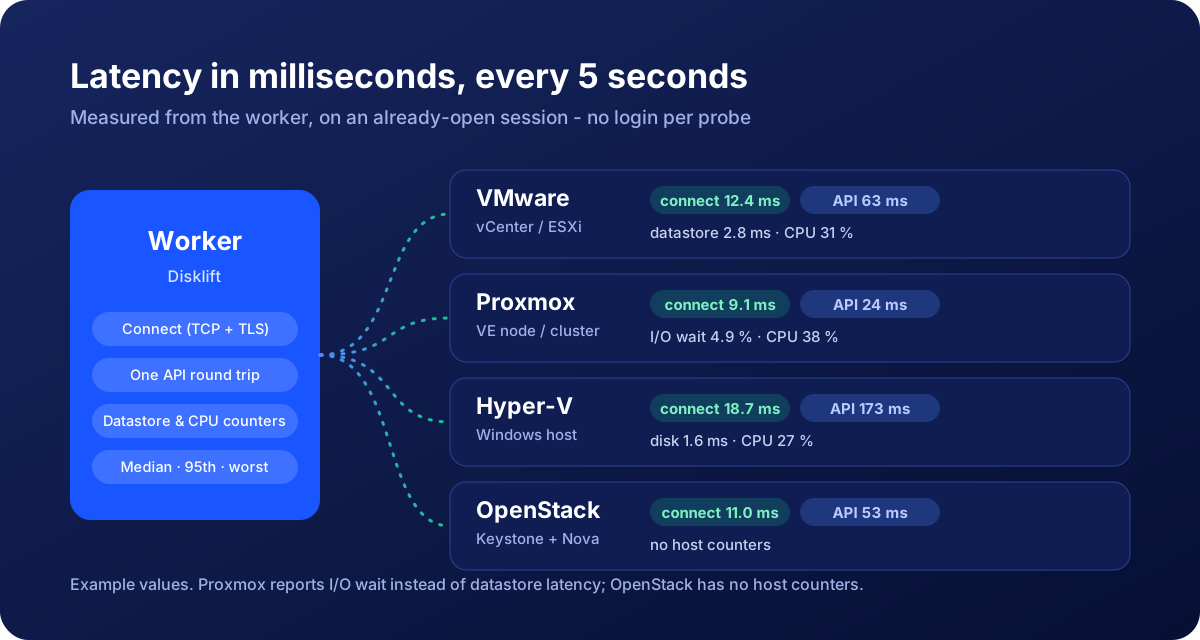
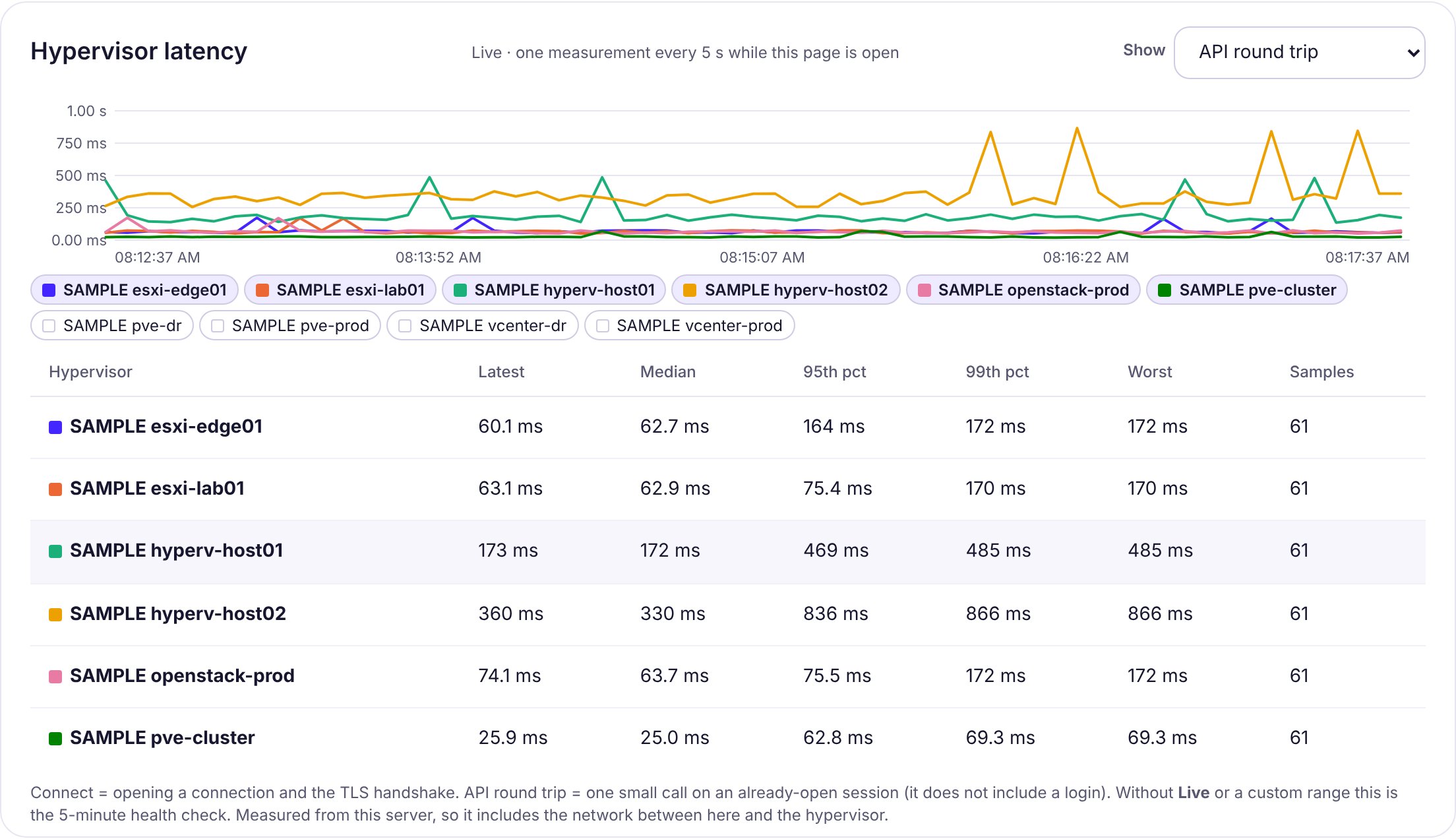
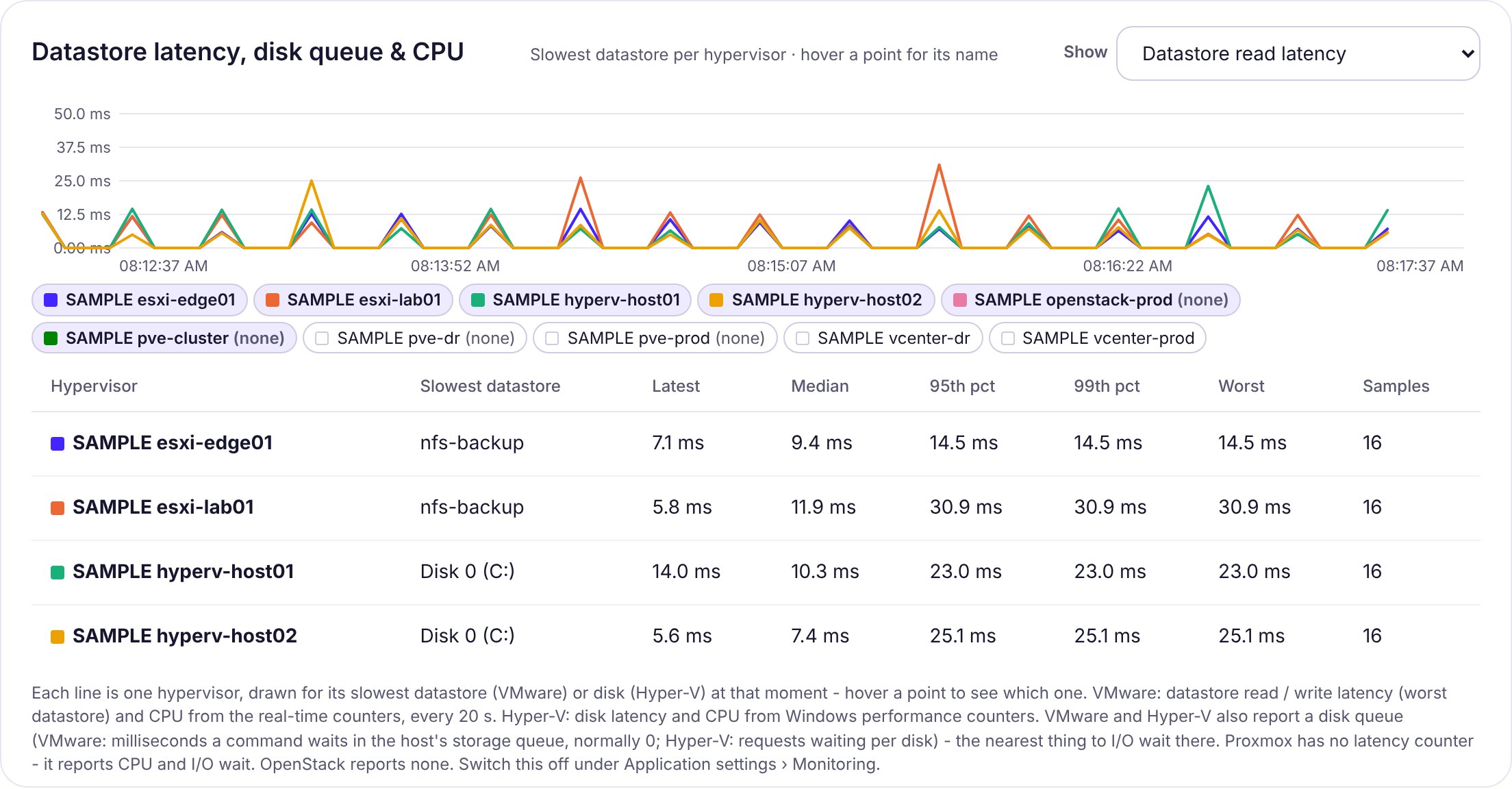
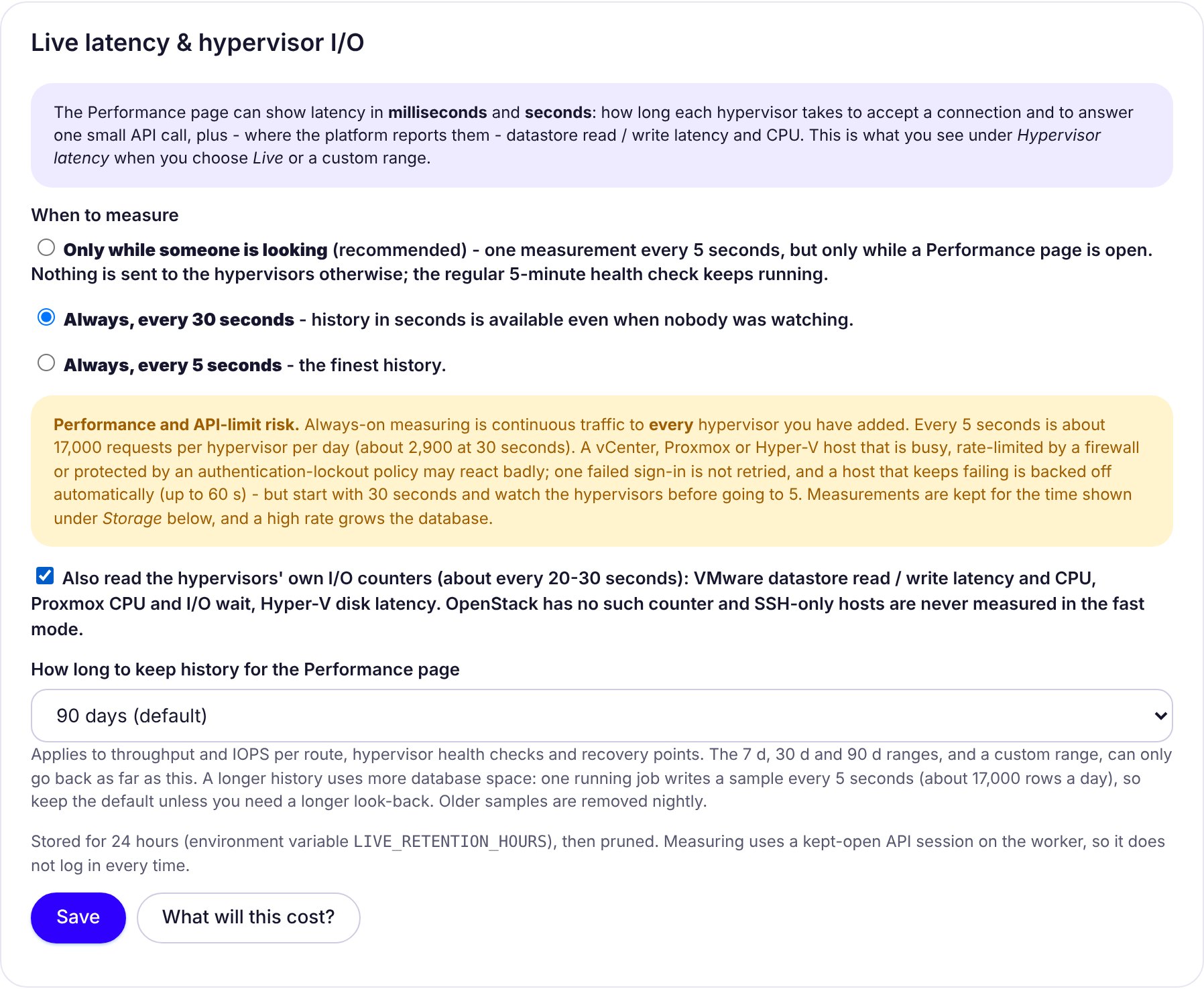
See what a hypervisor is doing while a migration runs - not an hour later. Live latency every 5 seconds, the hypervisor's own datastore and CPU counters, and any time range from 10 seconds to 90 days.
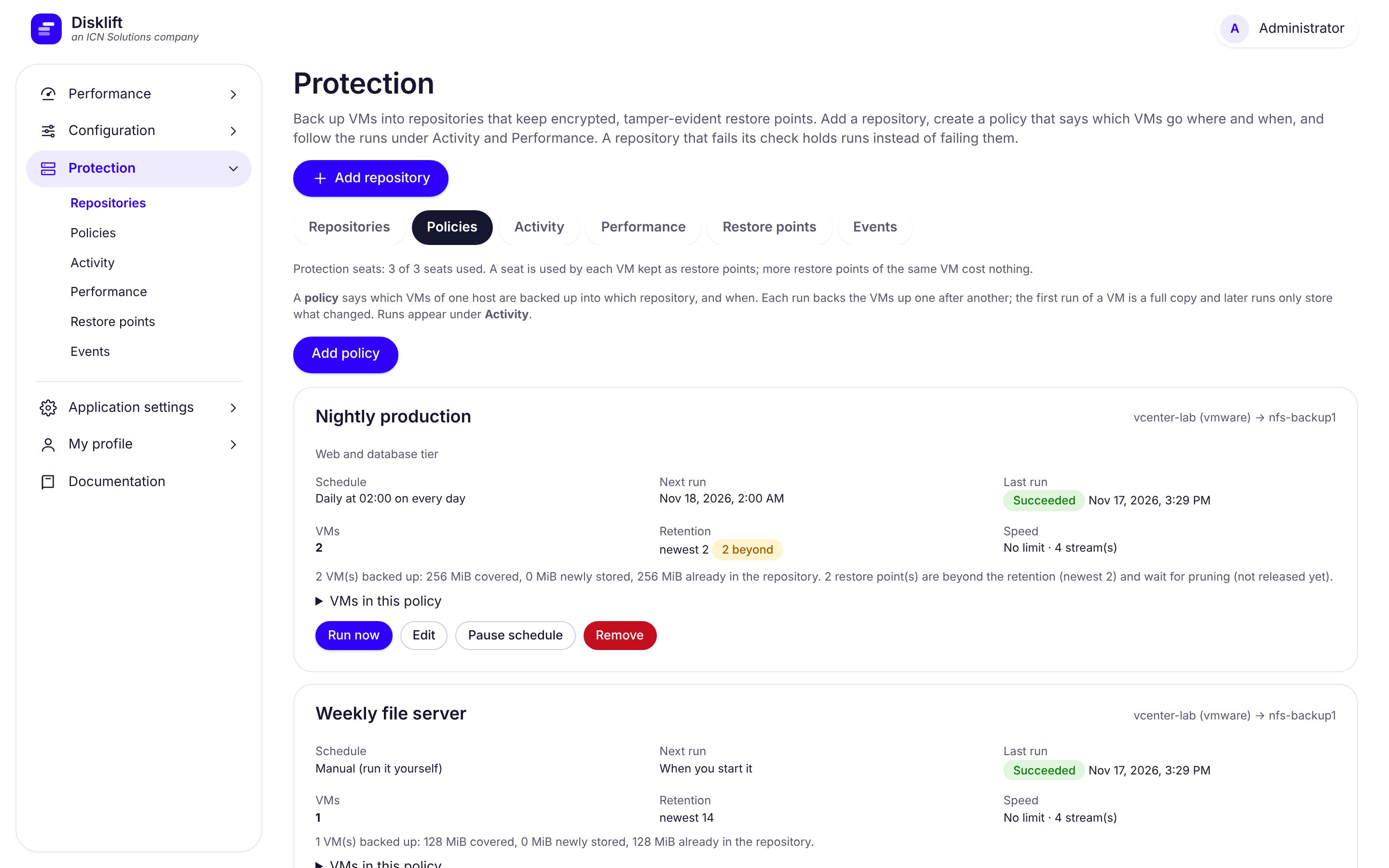
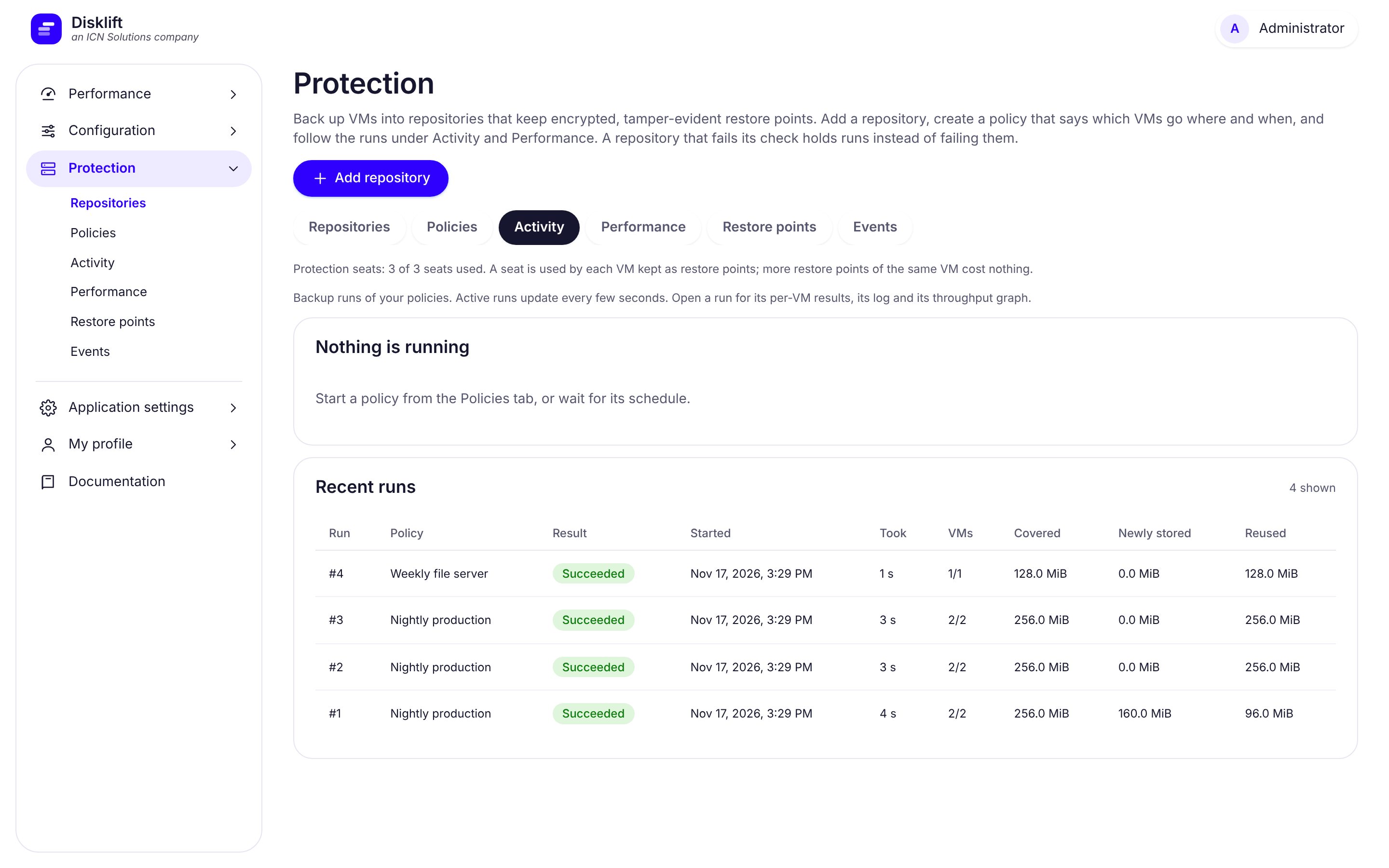
A separately licensed option. Back up VMware, Hyper-V, Proxmox, OpenStack and Nutanix AHV (beta) VMs on a schedule into encrypted, deduplicated restore points kept in your own NFS or S3 storage - from the same appliance, with nothing installed in the guests. Restore them as disk files or as a new VM, and let the ransomware guard watch every backup.
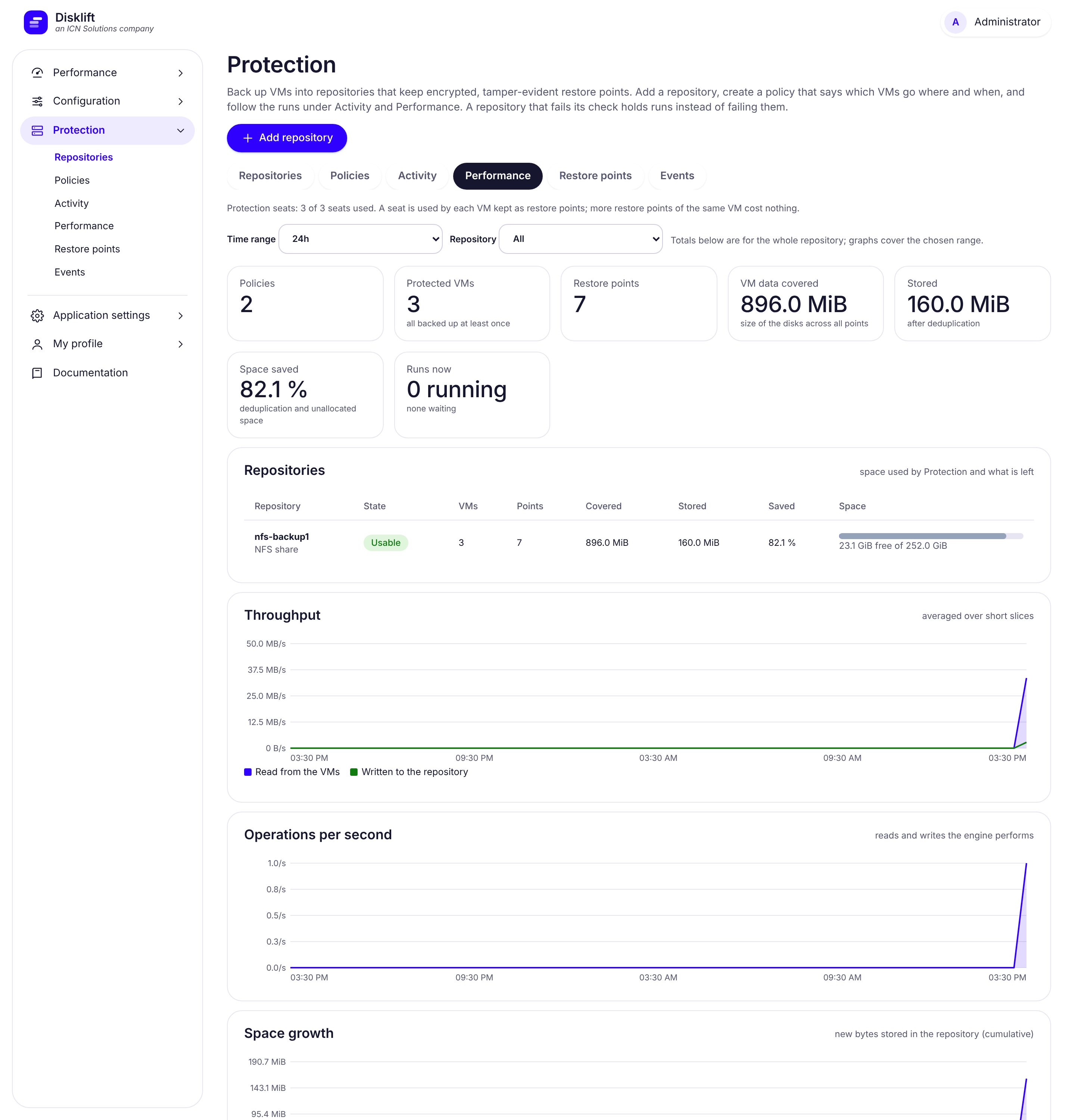
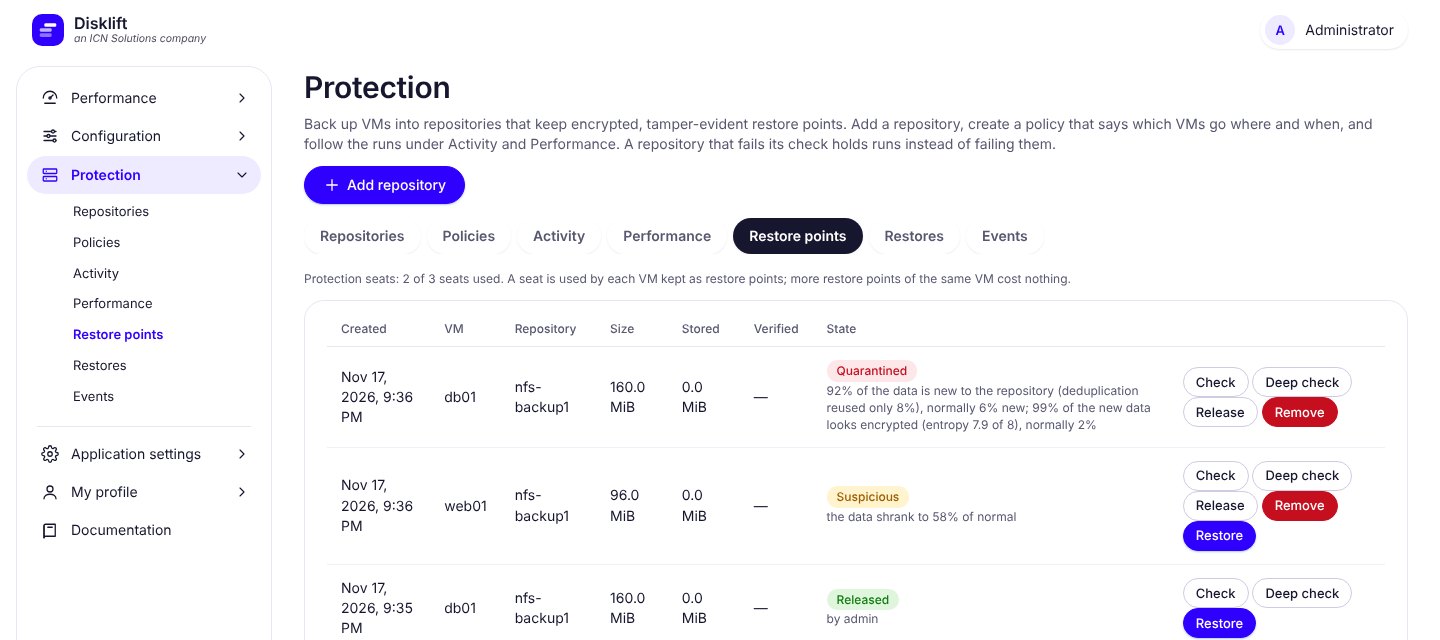
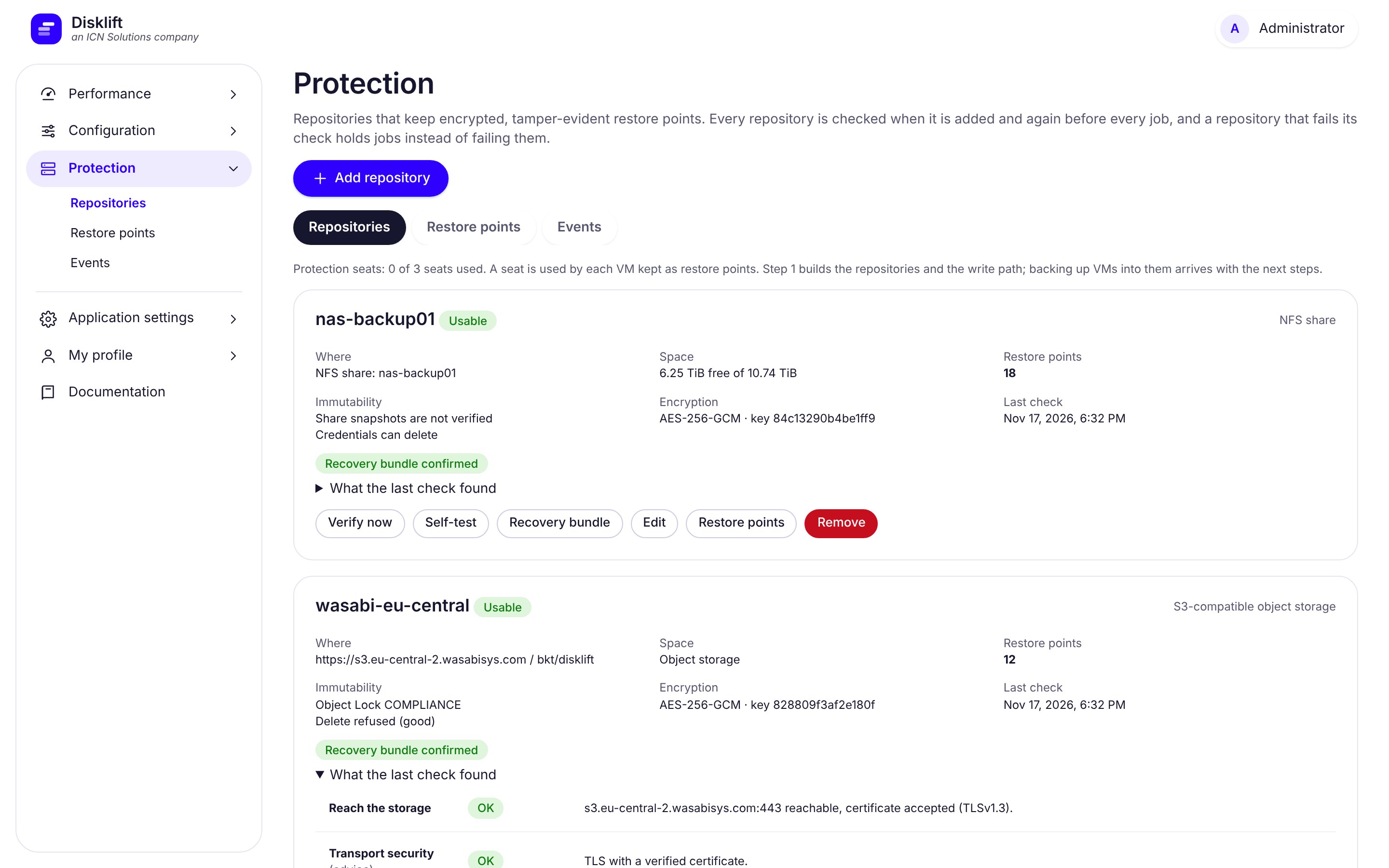
Still to come: starting a VM straight from a restore point, automatic pruning, and second-administrator approval for deletes. The ransomware guard needs a few earlier backups of a VM before it can tell what is normal; it is a safety net, not a guarantee.
Everything above runs the same on a small lab or a large data center. For bigger estates, Disklift adds the scheduling, resilience and operational controls that long, busy migrations depend on.
Cut-overs and failovers always go first, then first copies, then routine syncs. Work is shared fairly between policies, limits protect every source host and destination node, and sync times are spread out so hundreds of VMs never all come due at once.
Add worker capacity with a single command as the estate grows. A queue-wait view and an alert tell you before waits start to threaten your recovery targets - and the documentation includes a sizing guide.
Restarts and upgrades let running jobs finish cleanly. A database outage does not lose results. An interrupted first copy continues where it stopped, and the part already copied is re-checked against the source.
Old job history and logs are cleaned up automatically, the appliance warns before its disk fills, and the destination is checked before a copy begins and watched while it runs. Disk data streams through the appliance and is never staged on it, so its disk does not grow with the size of your VMs.
Keep replication and backups off your management network: add adapters to the appliance and put them on data or backup networks - one adapter or an LACP bond, with VLAN tags, jumbo frames and live link statistics. Each hypervisor and repository can be reached on its data address. How to set it up.
Health checks for every service, optional metrics for your monitoring system, support for a highly available PostgreSQL, and encrypted off-site copies of the appliance's own backups.
The appliance checks for a newer version once a day (you can switch that off), downloads it with progress, and verifies the file's SHA-256 and the vendor's digital signature before the Apply button appears. Applying takes a database and files backup first, installs, restarts and runs a self test - and an upgrade is reported as done only when the running application reports the new version. Your open browser tab reloads itself onto the new release.
There is no public download. A short-lived link is issued only to an installation with a valid licence, and the check sends nothing more than the installation ID, the installed version and the licence file. The host re-verifies the signature with its own copy of the vendor's key and refuses anything that is not strictly newer.
Role-based access, two-factor sign-in, a full audit trail, encrypted credentials and strict separation of tenants and data - the controls security teams ask for, in the box.
See the recommended sizing, or talk to us about a large estate.
Most tools in this space were built for one job and bolted the other on. Disklift is built for the move to Proxmox specifically, with DR as a first-class second act - not the reverse.
| Disklift | Zerto | Veeam | |
|---|---|---|---|
| Proxmox VE as a target | Core product - migration and DR | Not supported (VMware vSphere, Hyper-V and public clouds) | Yes - backup and restore since 2024; VM replication added in v13.1 |
| Moving VMs to Proxmox | Direct block-level copy with repeat syncs, then a short cut-over - no backup step | Not a Proxmox migration path | Yes - restore VMware / Hyper-V backups to Proxmox (a backup first; Instant Recovery added in v13.1) |
| Source platforms | VMware, Hyper-V, OpenStack (beta), Nutanix AHV (beta), Linux KVM, Proxmox | VMware vSphere, Hyper-V, public clouds | The broadest list - VMware, Hyper-V, Proxmox, Nutanix AHV and more |
| Disaster recovery replication | Scheduled, change-tracked syncs (minutes) with failover and test failover | Continuous, journal-based, recovery points seconds apart - its core strength | Snapshot-based replication jobs |
| Cutting data sent over the wire | Changed-block tracking, empty-block skipping, optional zstd compression, and optional verified deduplication on the first copy to Proxmox - built in, no extra appliance | WAN compression and signature matching to reduce data sent over the WAN | Compression, plus WAN acceleration with global deduplication - needs a WAN accelerator pair and an Enterprise or Universal license |
| Scheduled VM backups | Protection option: VMware, Hyper-V, Proxmox, OpenStack and Nutanix AHV (beta) VMs on a schedule into encrypted, deduplicated restore points in NFS or S3, with count and age-based retention, activity and performance views | Not its focus - recovery is journal-based replication; long-term retention is a separate part of the product | The core product - mature backup, retention and instant recovery |
| Restoring | To disk files (local, NFS, SSH, S3) or to a new VM on Proxmox, VMware, Hyper-V, OpenStack or Nutanix AHV - a full copy-back; or live-mount a restore point's disks read-only over NBD without copying them | Failover and recovery to a chosen point in time, to its supported platforms | Full restore, cross-platform restore and instant recovery (run a VM straight from the backup) |
| Ransomware protection | Each backup is scored against that VM's own history (change rate, entropy, deduplication, size); suspicious ones are flagged and quarantined for an administrator to release or remove. S3 Object Lock status is checked. It is new and learns only from your own backups - there is no malware-signature database | Recovery to a point seconds before an attack, plus long-term retention with immutability options | Immutable repositories, malware detection and instant recovery are established, mature features |
| Backup encryption and deduplication | AES-256-GCM, signed manifests, deduplication per repository, built in | Encryption and compression for replicated data | Encryption and deduplication, with global deduplication on higher editions |
| What you deploy | One appliance VM; nothing on hosts or in guests | A replication appliance on every host | A backup server plus a worker / proxy on hosts |
| Pricing model | One-time per VM, or annual per-seat DR or Protection | Per-VM subscription, quote-based | Per-workload subscription, tiered editions |
Zerto and Veeam are trademarks of their respective owners; this comparison reflects their publicly documented capabilities as of November 2026 and isn't endorsed by either company. Veeam's support for Proxmox is documented here and its supported workloads here; HPE lists Zerto's supported platforms here. Vendors change their products - check their current documentation, and if something here is out of date, let us know and we'll correct it.
Download it free - it runs in evaluation mode with no license required (30 days, up to 5 VMs / 750 GB for migration, 3 VMs for replication - see the limits), so you can try a real migration before buying. The download is a ready-to-run appliance image of about 7 GB.